How do I cancel my Supporter plan, and what happens afterwards?
0:14 · no soundSupporter
In Settings, Billing, click “Cancel recurring subscription”, enter an email and confirm. Download the receipt shown on screen; nothing is emailed. Your access continues until the end of the period you paid for.
Before you start
- A Supporter plan: How do I become a Supporter?
- A LootSpectrum account: How do I create an account, and can I sign in with Steam?
Step by step
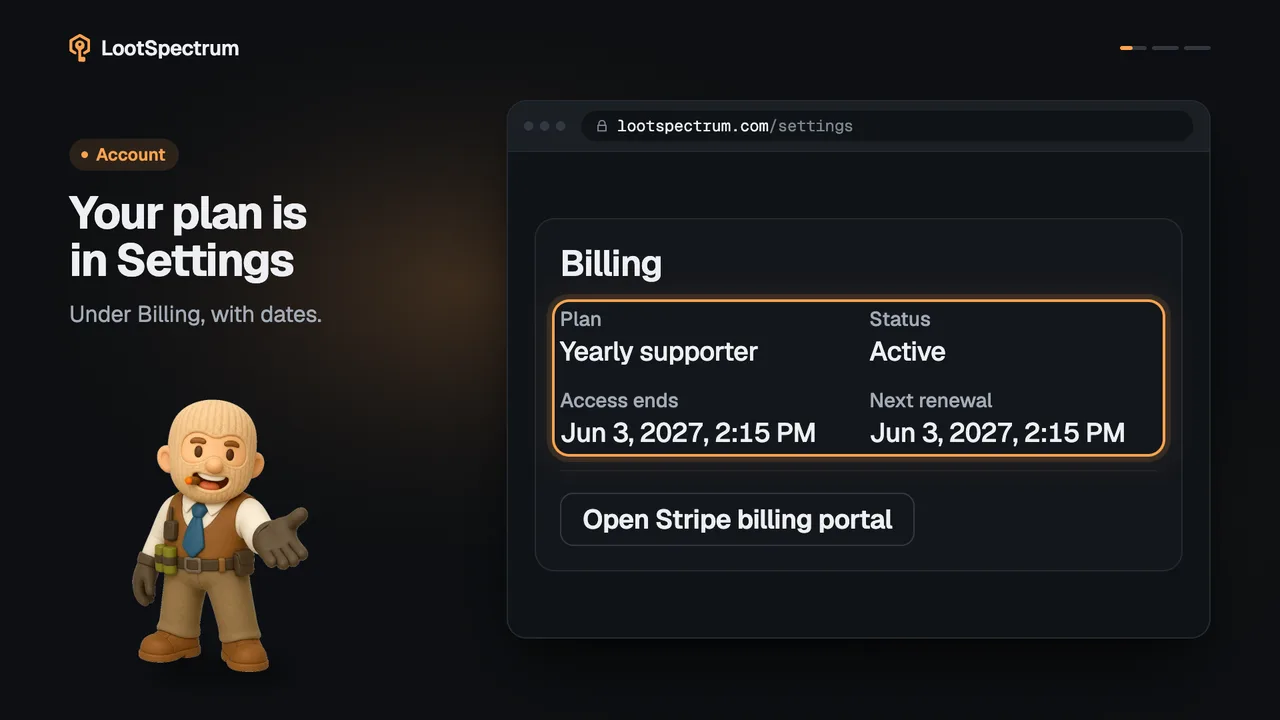
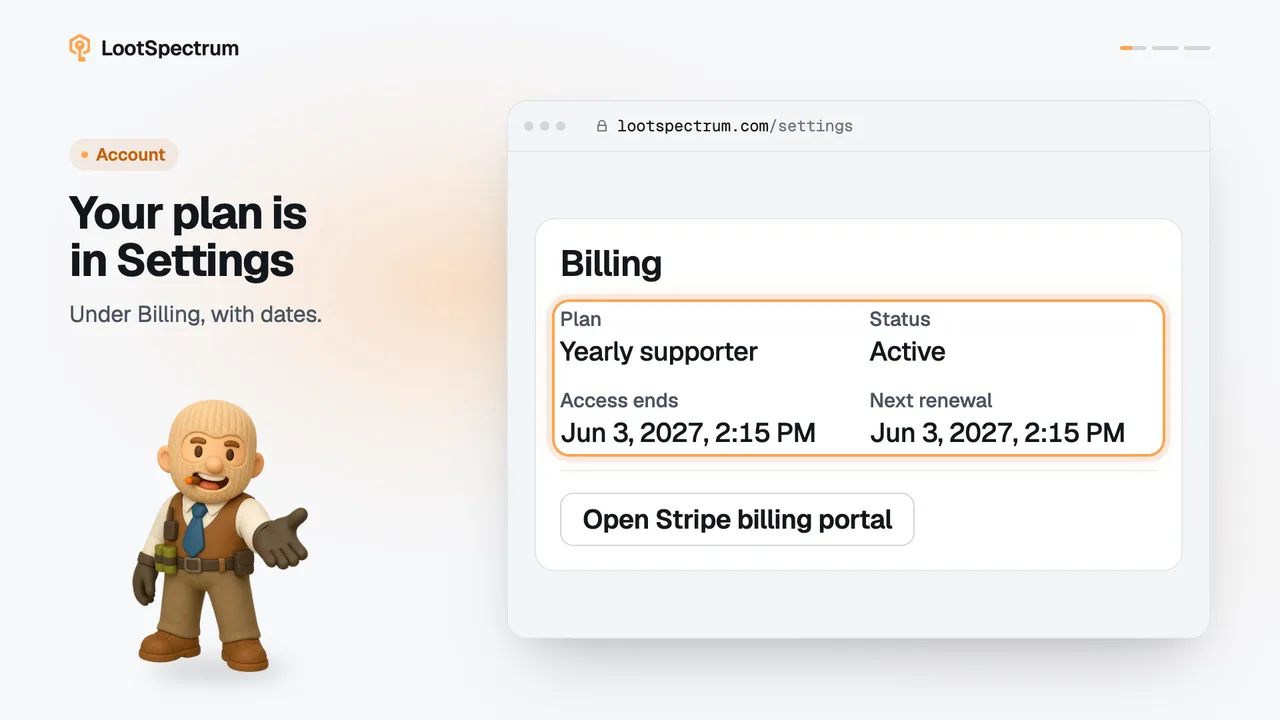
- Open Settings from the account menu and scroll to Billing.
- Click “Cancel recurring subscription”.
- Type your email into “Confirmation email” and confirm the cancellation, or click “Keep subscription” to back out.
- When “Cancellation declaration received” appears, click “Download text receipt” and keep the file.
- Check Billing later: “Cancellation scheduled” replaces “Next renewal”, and “Access ends” shows the day your access stops.
Good to know
- This is for a monthly or yearly subscription; pay-once plans have nothing to cancel and simply end at “Access ends”.
- Nothing is refunded: the subscription ends at the close of the current period and access stays until “Access ends”.
- The receipt is shown on screen and downloads as a text file; nothing is emailed, so keep the file.
- It can take a moment before Settings shows “Cancellation scheduled”.
- The button is offered only while the plan is active, trialling or past due and no cancellation is scheduled yet.
- No reason is collected, and the cancellation is always for the earliest possible date.
- Without signing in, the footer's “Cancel subscription” leads to a public form that asks for your email and the Stripe subscription reference, which Settings shows in Billing with “Copy reference”.
- The public form always answers with a receipt, which proves the declaration, not the cancellation; check Settings afterwards for “Cancellation scheduled”.
- If something does not look right, write to paul@muenchhausen.dev and include the receipt ID.
Transcript
- 0:00Cancel in Settings. Billing, then “Cancel recurring subscription”.
- 0:03Enter an email and confirm. No reason is collected.
- 0:06Download your receipt. Your download is the confirmation.
- 0:09Access continues, then ends. Settings shows “Cancellation scheduled”.